Jonny Press
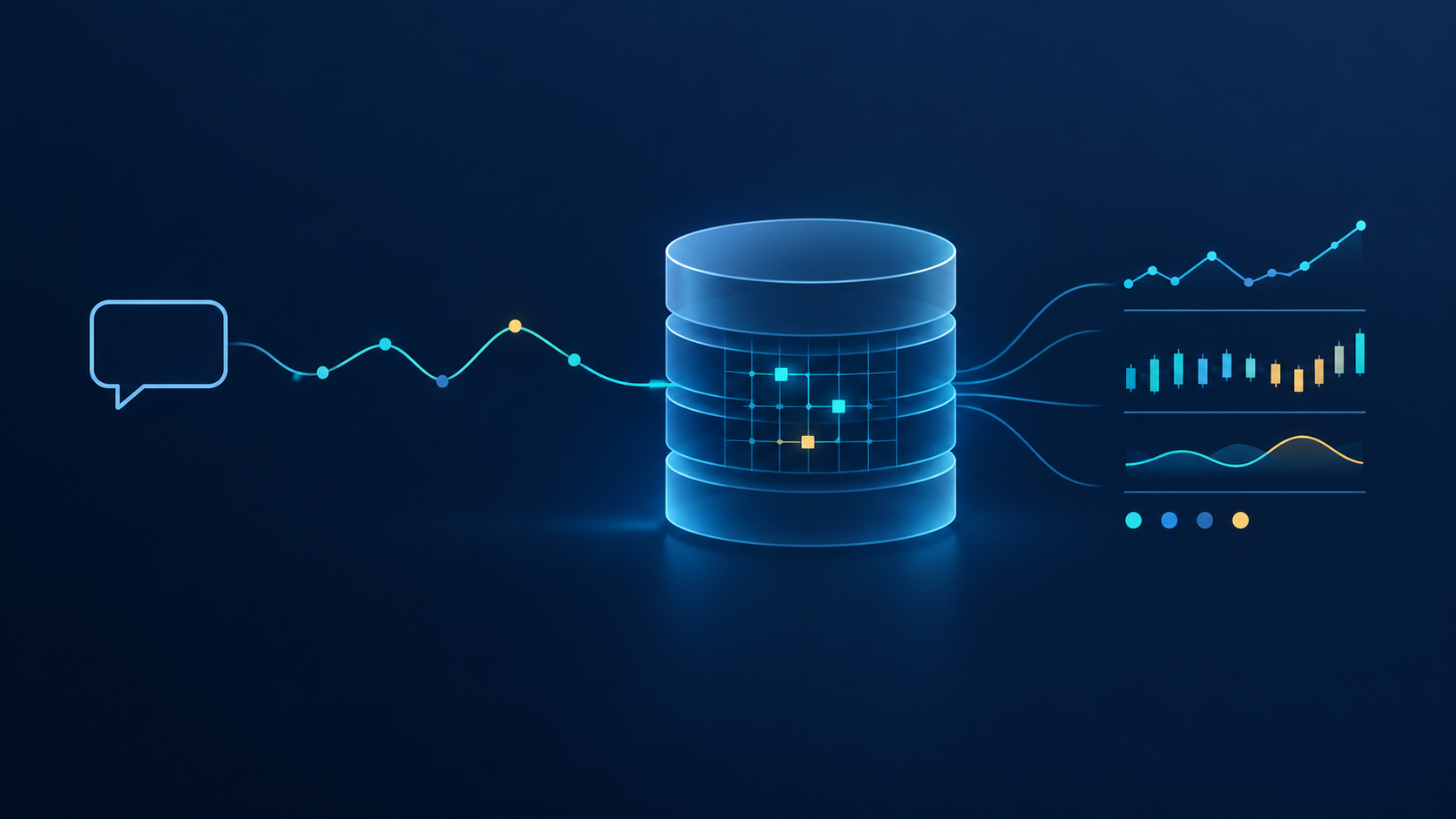
Over the last 12 months we’ve seen and been involved in building several “Talk To Your Data” style systems against kdb+, where the goal is to lower the barrier to entry and allow natural language interrogation of a timeseries dataset. They are always very impressive initially, using the capability of an LLM to create accurate data extracts. They are usually also somewhat limited, typically taking one of two routes:
-
rely on relatively basic SQL generation- simple selects or aggregations, perhaps with a join; or
-
constrain the access behind a predefined API, usually for the purposes of control around entitlements or ensuring system stability.
We’ve been investigating a different approach based on several factors:
-
qSQL is a better query language for timeseries data analytics than SQL.
-
Models are now better and will continue to improve at writing qSQL.
-
Constraining behind an API limits the ability of an agent to reason over data- the agent will only be able to do as much as the API allows.
Therefore our hypothesis is that we will achieve a better outcome if we allow an agent to lean into qSQL and provide freer but controlled access to data along with the ability to experiment and refine an approach- exactly the same things a quant team requires.
We want it to act like a good quant user. By this we mean it understands the data and the business, but it also understands how to effectively push down and manipulate timeseries data within the database directly- it doesn’t extract large swathes of data to push to the model, in the same way that you don’t want the quant team to rely on Excel exports. Crucially, it doesn’t blow up the database. This work is about how to make an agent understand timeseries data.
The Aim
We don’t want to teach it how to solve specific examples, we want to provide it with principles and techniques, with a focus on timeseries manipulation. This combines with business domain expertise and understanding of the data to allow the model to build from first principles. The approach is directly analogous to how we train our graduates.
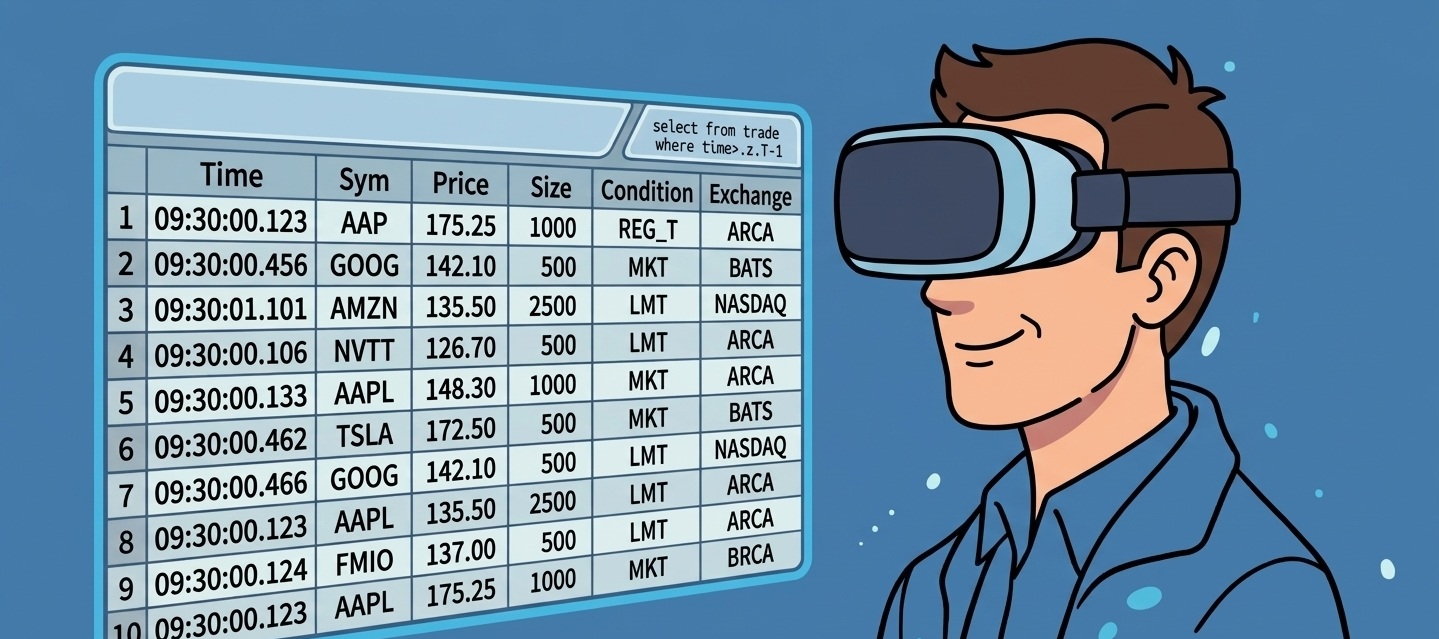
We obviously expect to be able to do simple things like “what was the price of AAPL on Tuesday” or “give me the open, high, low and close for MSFT in February”. Ultimately though we want it to handle questions that need several selects, joins or some bespoke manipulation before you get to an answer, the sort of thing that might take a quant developer with good q skills an hour or two to code up. Some of the examples we’re testing against:
-
the average price move 1 second, 10 seconds and 1 minute after our fills, by venue and client (markouts)
-
interval VWAP slippage per parent order, against the market VWAP while the order was live, ranked by client
-
where each large order sat against the day’s volume curve while it was working
-
1-minute return correlation across a sector, and which pair diverged most this week
Context and Control
There are two halves to the approach- teaching the agent enough to write sensible q (context), and controlling what it can do (control).
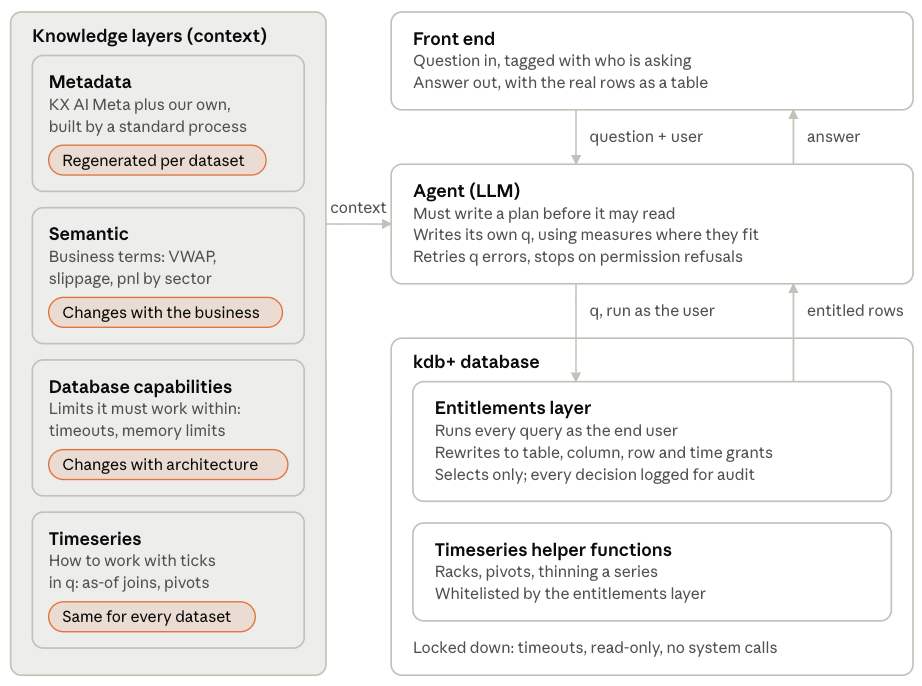
We’ve split knowledge into four layers, all loaded as context:
-
Metadata (what’s in the database). This is built on KX’s AI Meta package, which runs against the database and describes and tags the datasets, plus our own additions. The schema, facts about the dataset (descriptions, data types, cardinality, date ranges, rows per day etc.) and example extracts come out of a standard generation process run against the data.
-
Semantic (the business). The specific business terms that a user might refer to, the domain expertise that the agent requires.
-
Database capabilities. Technical capability restrictions such as memory limits and timeouts to allow the agent to size a query for success.
-
Timeseries capabilities. How people actually work with timeseries data in q: as-of joins, window joins, bucketing, racks, pivots, filling, sampling etc. We distilled this from our internal training material and documentation, and we added some generic helper functions on the database side to help with implementation.
Each of these is extendable. The metadata layer is built per dataset, the semantic layer will change depending on the specifics of the business, but the timeseries techniques will transfer across domains.
The second half of the implementation is control. It wouldn’t be advisable to allow an agent to write q against a production database in a completely unrestricted manner. We can’t control this in the agent itself, so it has to be done in the database. We have built a role-based entitlements layer within the database to implement:
-
table-, column- and row-based filtering. Row-based filtering includes hooks for market data permissions and time-based exclusions.
-
operation whitelisting
The entitlements layer intercepts the qSQL and injects filters (as performantly as possible) in the innermost data access statements, so restricted rows are removed before any aggregation or further manipulation.
The database itself should be run in a restrictive mode- separated from production, with query timeouts and memory limits under a read-only user account. In this regard, treat it like the most junior of junior quants!
An Example Conversation
Human: On 7 October, which client account’s fills were followed by the price moving in its favour over the next minute?
Agent: Account A7, and only A7: +0.67 bps across 20,008 fills. Every other account was negative. (17 seconds)
Human: Was that a one-off?
Agent: No. A7 was positive on every day that week, from +0.52 to +0.83 bps. (35 seconds)
Human: A handful of stocks, or across the board?
Agent: Across the board: positive in 28 to 32 of its 39 names each day, and in 17 names on all five days. (46 seconds)
Human: Take the spread out. How big is the edge, and how does it compare?
Agent: +3.13 bps mid to mid over 100,118 fills, a little over twice the next account. (97 seconds)
Human: Is that one of our traders, or the client’s own flow?
Agent: The client’s. All 12 traders who worked the account show a positive edge, from +2.83 to +3.48 bps. (103 seconds)
All of the above was computed within the database itself. The agent without the timeseries techniques failed at the first hurdle.
The Results
We asked 42 questions against a synthetic equities database- six months of trades, quotes, orders and five-level order book depth. Twenty were asked as follow-up conversations, the way an analyst would ask them; twenty-two were asked one at a time. Both runs used the same model and the same database. Run 1 had the schema and the business concepts. Run 2 added the timeseries knowledge.
|
|
Schema + business concepts |
+ Timeseries knowledge |
|---|---|---|
|
Correct out of all 42 questions |
32 |
42 |
|
Correct out of the 20 conversational questions |
16 |
20 |
|
Correct out of the 22 single questions |
16 |
22 |
|
Queries that failed or were refused |
37 |
3 |
|
Turns that blocked the database gateway |
4 (6 restarts) |
0 |
|
Model calls |
198 |
140 |
|
Wall clock |
33m |
20m |
|
Cost, and per correct answer |
$6.52 ($0.20) |
$6.40 ($0.15) |
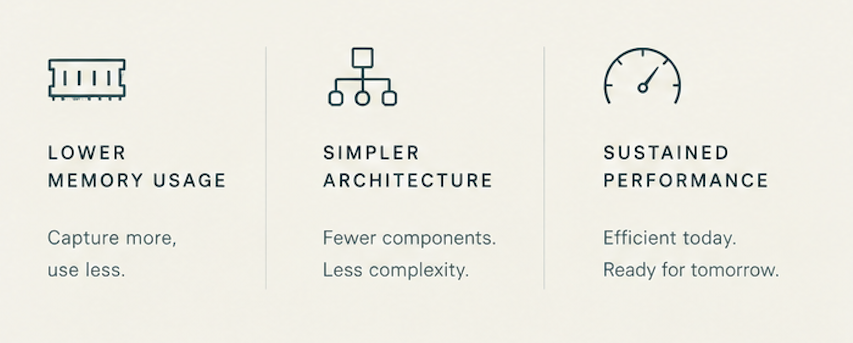
Accuracy is key, but the failures and refusals are equally important. Without the timeseries techniques the agent struggles- it writes a query, gets back a q error, a refusal or no rows, and tries again. This happened 37 times across 42 questions without it, and 3 times with it. This is where the 30% fewer model calls and the shorter wall clock come from. It is also why a much larger prompt costs slightly less in total: the guide is identical text on every call, so the vast majority of it is served from the prompt cache at a tenth of the price.
It also kept the database healthy. Both agents were told the gateway’s limits, a memory cap and a 30-second timeout, but only one with the timeseries techniques knew how to stay under them. Asked whether one account’s edge held across a whole week, the agent without the timeseries techniques sent week-long joins that blocked the gateway on four turns. The agent with it sized its queries first. Its own plan for the next week-long question reads: “run one per-day qSQL as-of join grouped by sym to avoid a multi-day quotes join near the memory cap”.
The extra knowledge did nothing for entitlements, as expected. Both runs were asked questions their user wasn’t permitted to answer, such as which traders were behind a stock’s drop. Neither could answer, as context and control are independent.
A Specific Example
Using minutely prices, which pair of Technology stocks saw their correlation break down most between 2026.10.02 and 2026.10.08, and on which day?
We asked the same question twice, with the same model and the same data. The only difference was whether the timeseries techniques were loaded. The question says “prices”, not “returns”, because that’s how an analyst might ask it.
|
|
Business concepts only |
+ Timeseries techniques |
|---|---|---|
|
What it correlated |
Price levels, on each minute’s last trade |
One-minute returns, on each minute’s VWAP |
|
Queries |
A symbol lookup, then the correlations |
a symbol lookup, then one query for all 28 pairs |
|
Answer |
ORCL–VRSN on 6 Oct: from 0.82 on 5 Oct to −0.71, a fall of 1.53 |
VRSN–INTC on 6 Oct, −0.039. The next two weakest that day, DI–INTC (−0.032) and INTC–ORCL (−0.005), also involve INTC |
|
Correct? |
No. We re-ran its figures and they’re exact, but they measure price levels: two stocks that drifted the same way one day and opposite ways the next. INTC, the stock that fell 12% that day, isn’t in its answer |
Yes. We re-ran its query and every figure is exact. INTC is the stock that fell 12% that day |
With the techniques loaded, the agent said why in its answer: “I used returns rather than raw price levels, since correlations of price levels can be misleading for intraday co-movement.” Its query pivoted all eight stocks’ one-minute returns into columns and correlated all 28 pairs by day, in one query (26 of the 28 pairs left out below):
select c_AAPL_MSFT:cor[AAPL;MSFT],... c_CSCO_ORCL:cor[CSCO;ORCL] by date
  from
    exec `AAPL`MSFT`VRSN`DI`NVDA`INTC`CSCO`ORCL#sym!ret by date:date,minute:minute
      from update ret:100*-1+px%prev px by date,sym
        from select px:size wavg price by date,sym,minute:0D00:01 xbar time
          from trades where date within (2026.10.02;2026.10.08),sym in `AAPL`MSFT`VRSN`DI`NVDA`INTC`CSCO`ORCL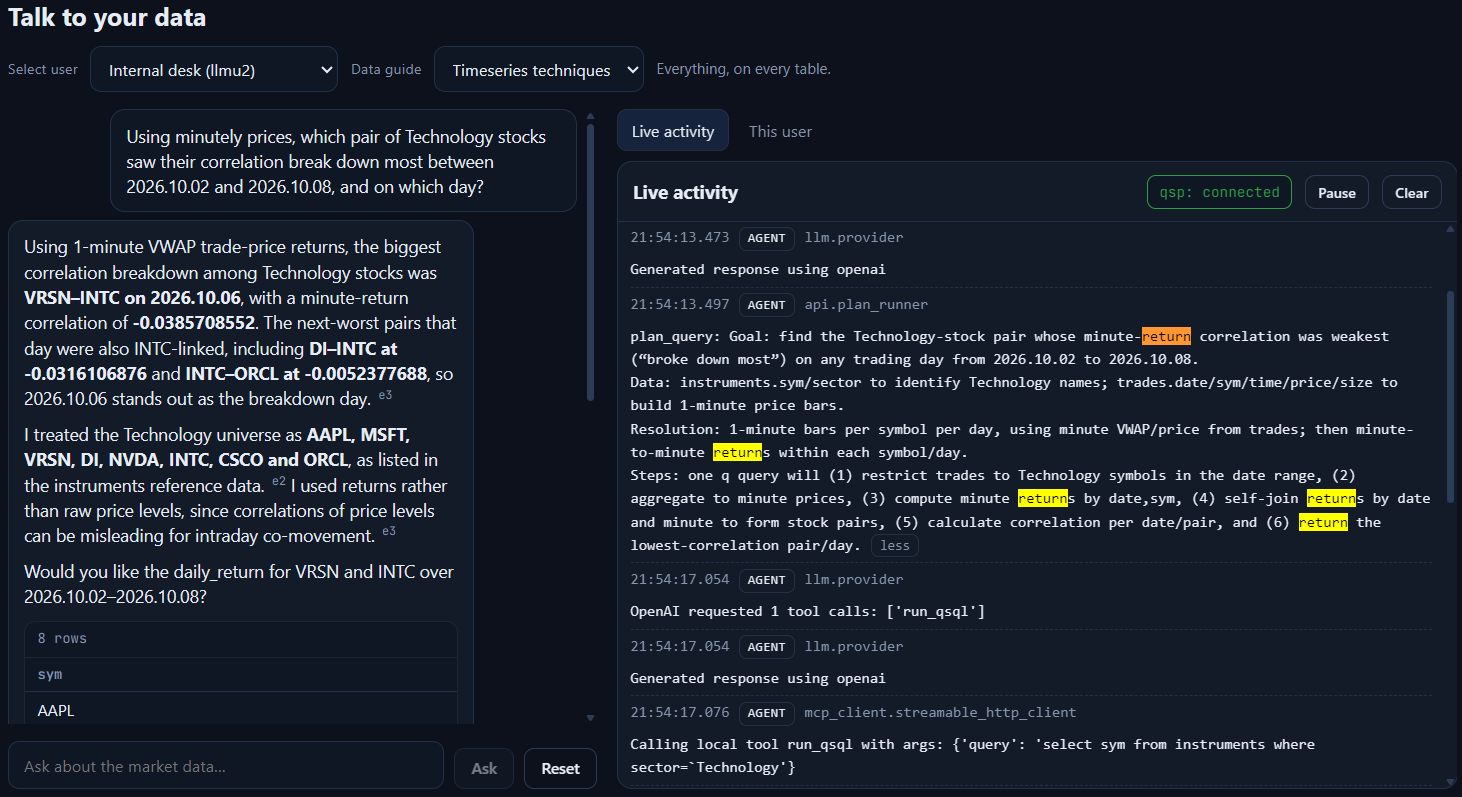
Two timeseries techniques do the work:
-
The pivot: exec … by puts the eight stocks side by side, one column each, lined up by minute. A minute in which a stock didn’t trade is null, and cor skips it, so the stocks are compared at the same moments rather than row by row.
-
Returns, not price levels:
update ret:100*-1+px%prev px by date,symturns each stock’s minute prices into returns, per stock and per day, so no return spans two stocks or the overnight gap.
Then cor for each pair, by date, does the rest: no helper functions and no loop.
Testing A Smaller Model
The results above were observed with GPT-5.5. What happens if we switch to a cheaper, faster model?
|
|
Run 1 GPT-5.5 |
Run 2 GPT-5.5 |
Run 1 Sonnet 5.5 |
Run 2 Sonnet 5.5 |
|---|---|---|---|---|
|
Answered Correctly |
32 of 42 |
42 of 42 |
29 of 42 |
39 of 42 |
|
Failed or Refused |
37 |
3 |
39 |
2 |
|
Wall Clock |
33m |
20m |
15m |
10m |
|
Cost |
$6.52 |
$6.40 |
$2.35 |
$2.00 |
|
Prompt from cache |
89.3% |
93.5% |
88.4% |
95.1% |
|
Per correct answer |
$0.20 |
$0.15 |
$0.08 |
$0.05 |
Sonnet doesn’t get them all right, but the techniques provide a similar uplift against the cheaper model.
Limitations and Extensions
We’ve built an agent that writes reasonable-quality q code to solve non-trivial analytics, deliberately avoiding analytic API calls to ensure we have full flexibility. However, as with any AI solution, the output should not be blindly trusted, but used as an initial investigation path to establish or discount a hypothesis. In a real-world scenario it would make sense to integrate the solution with an analytics API to avoid recreation of standard analytic routines, such as slippage or markout calculations. This would give a balance between trusted analytics and flexibility.
The key development is the addition of the generic timeseries techniques to improve the quality of the output. These were built with a set of development questions, and a separate set of test questions. They should be applicable to any business domain dealing with financial timeseries data, including trading applications, market data analytics and surveillance.
This is one of our AI accelerators.
Share this: